 Bookmark Swipe
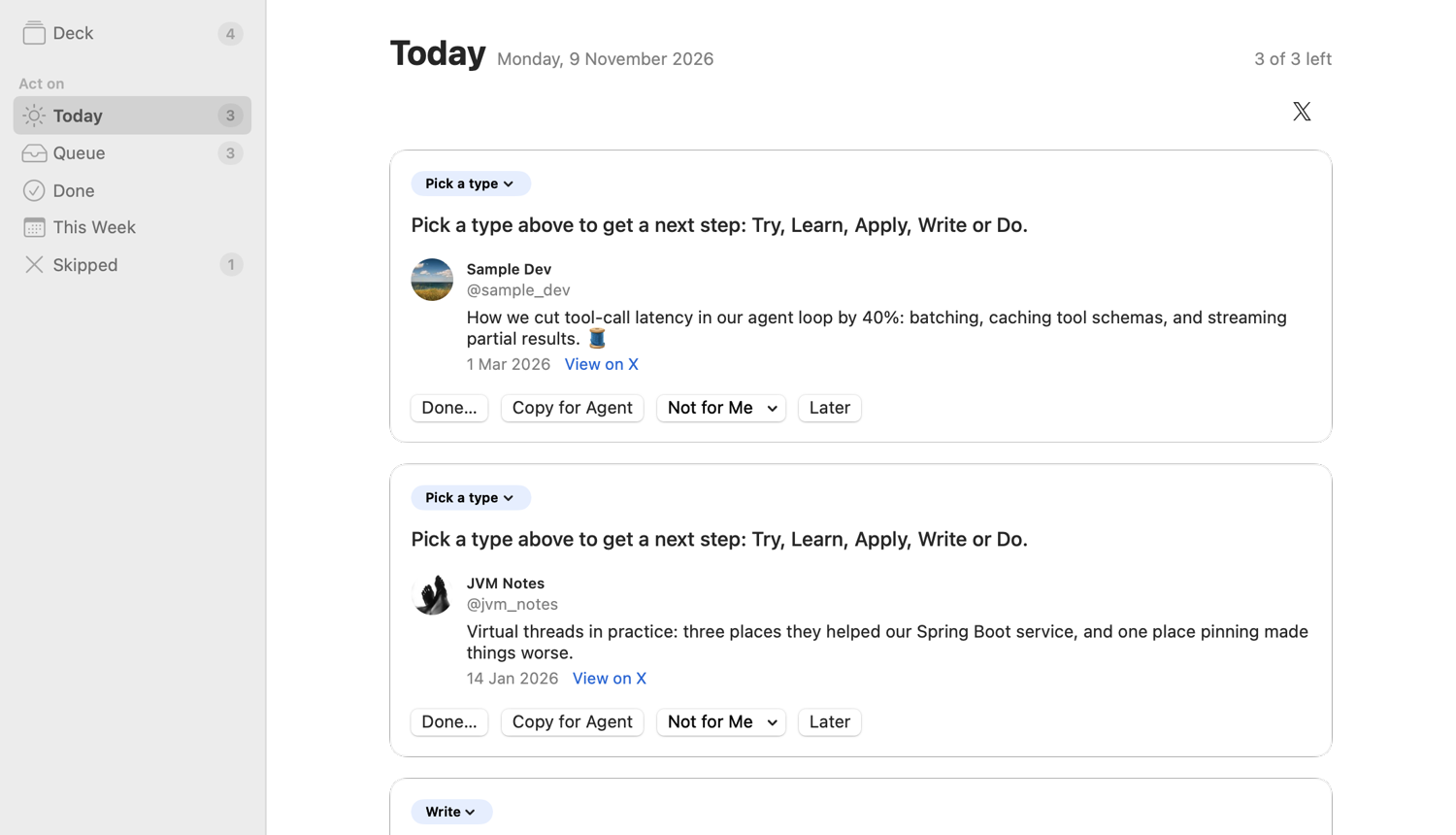
Each day, up to three posts to act on
Swipe right and a post joins your queue. Today picks up to three from it and says what to do next: try it, learn it, apply it, write about it, or do it. When the app can't tell which, you pick.
Mark a post done, send it back for later, or drop it as not for you. Swipe up on anything you only want to find again, and it stays out of Today.
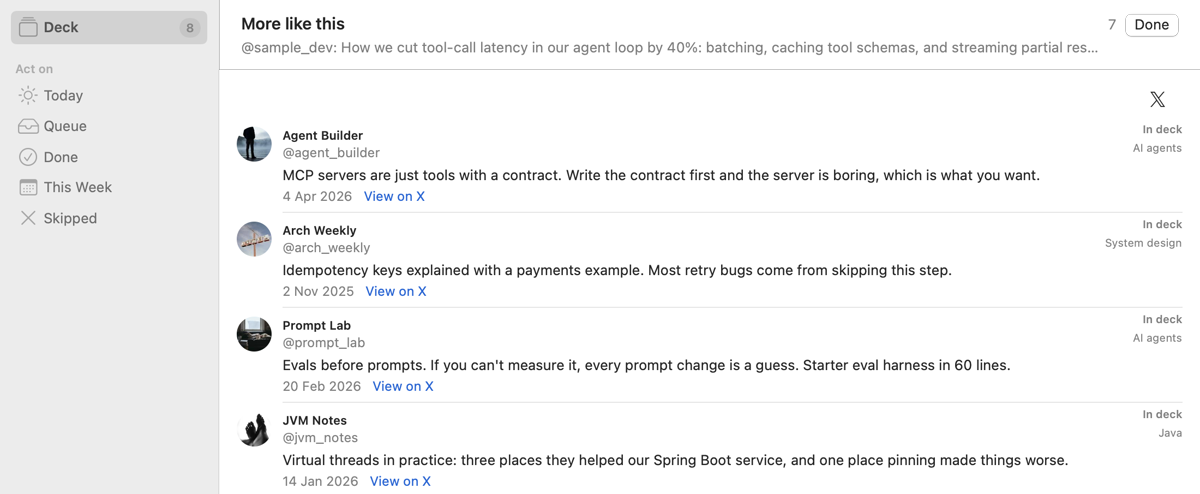
Find a post when you've forgotten its words
Search matches your words and adds posts close in meaning. More like this finds what else you saved on a subject. Both run on your Mac with a model built into the app.
Let your coding agent read what you saved
Agent Access lets Claude Code or Codex search your saved posts, read-only. It's off until you turn it on. Posts your agent reads go to its AI provider, like any file it opens.
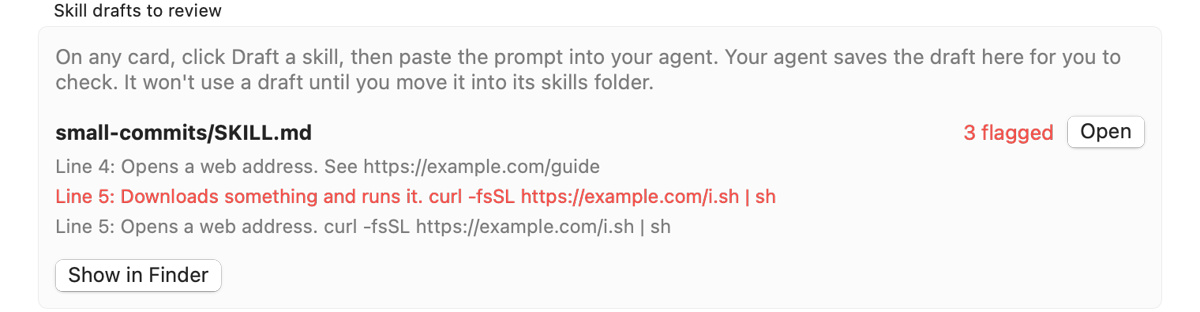
Draft a skill gives your agent a prompt to write a skill from a post. The app flags links and commands in the draft, and nothing is used until you move it to your skills folder.
Before you request an invite
This beta is for people who save posts on X for work or research, have at least 300 bookmarks, and use a coding agent. I'm inviting a few people at a time.
Invites go out once the signed build is ready. I'd like 15 minutes with you before you install, to watch your first import, and a short talk after a week.
Request an invite- X only gives apps your newest bookmarks. In my tests it returned 218 and then 298 of my 628. A first import reads at most 300.
- Each tester can read 500 posts from X in the beta. After that the app stops reading from X. Your saved posts and everything else keep working.
- Older bookmarks are optional and carry a risk. The app can read them from X's website once if you choose to. X's rules don't allow scripting its site, and X could suspend your account.
- It needs macOS 14 or later. So far it has only run on macOS 27. There's no Windows, iPhone or web version.
- Some parts are rough. The first topic groups need renaming, and search reads a post's text and not its images.